Ganvexa Consulting


Ask a team in a service business what slows them down and you'll hear the same list almost everywhere:
- Answering the same ten questions from new enquiries, every day.
- Chasing clients for documents, then checking that what they sent is right.
- Updating clients on where things stand, because they can't see it themselves.
- Remembering renewals, deadlines and follow-ups across dozens of clients.
None of this is hard. It's just constant. And it's exactly where AI and simple automation are most useful, because the questions and steps repeat.
1. First replies to enquiries
Most new enquiries ask the same things: what do you offer, how much does it cost, how long does it take, what do I need to provide. An AI assistant trained on your own services, prices and process documents can answer those accurately, at any hour, on your website or WhatsApp.
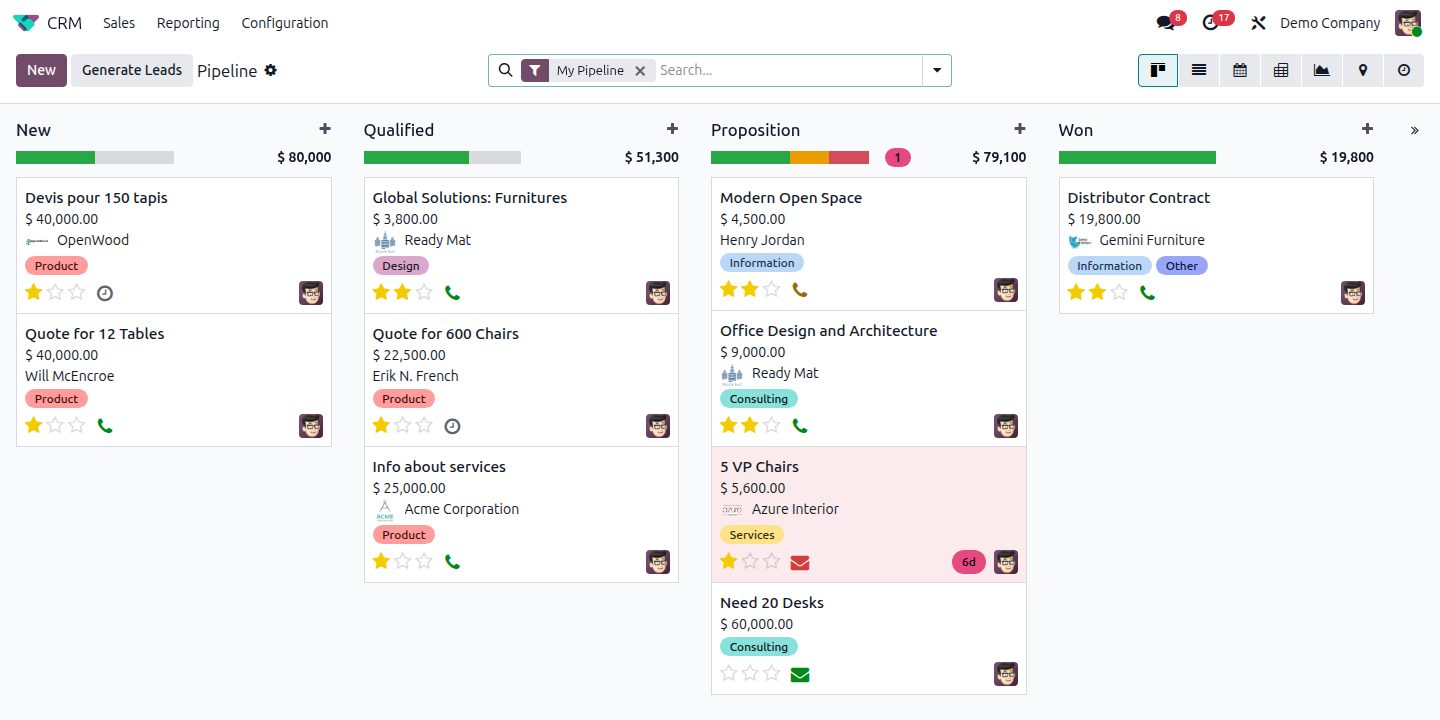
The important part is what happens next. A good setup captures the enquirer's details into your CRM, records what they asked, and hands over to a person when the question gets specific or the lead looks serious. The assistant handles the first conversation. Your team handles the relationship.
2. Document collection and checking
If your work depends on clients sending you documents (passports, licences, contracts, financial statements), you know how much time goes into chasing and checking them.
AI can read uploaded documents, check they're the right type, pull out key details like names, dates and numbers, and flag what's missing or expired. Automatic reminders go to clients who still owe you something. Your team only gets involved when there's a real problem.
3. Status updates clients don't have to ask for
"Any update?" emails are a sign that clients can't see progress. When each client's work is tracked as stages in a system like Odoo Project or CRM, moving to the next stage can send a short, friendly update automatically. Fewer chasing emails, and clients feel looked after.
4. Renewals and recurring deadlines
Licences, contracts, visas, annual filings, subscriptions. Every service business has dates that come round again. A simple automation can watch them and start the process: remind the client, create the task for your team, and prepare the quote or invoice.
5. Internal knowledge
New team members spend months learning "how we do things here". An internal assistant that can answer questions from your own procedures, templates and past work shortens that a lot, and saves your senior people from answering the same internal questions too.
What to be careful about
- Keep humans on anything that commits the business, such as prices outside your standard list, legal or tax advice, and anything unusual.
- Use your own information, not the AI's general knowledge. Answers should come from your documents and price lists.
- Be clear with clients when they're talking to an assistant, and make it easy to reach a person.
- Look after client data. Choose tools and settings that don't use your clients' documents to train public models.
A real example
We built a set of AI assistants and automations for D&K Ventures, a business setup firm in Dubai, covering enquiries, document collection and client updates. The aim wasn't to replace anyone. It was to give the team back the time they were spending on repeated questions and paperwork. You can read the full story in the D&K Ventures case study.
Where to start
Pick the single most repetitive task in your week. Write down every step of it. If most of those steps are "look something up", "copy something across" or "send a reminder", it's a good candidate. Start there, measure the time saved, then move to the next one. If you'd like a second pair of eyes, our AI & automation assessment is built for exactly this.
Common questions
What can AI automate in a service business?
First replies to enquiries, lead capture, document collection and checks, client status updates, renewal and deadline reminders, and internal knowledge questions. The advice itself should stay with your people.
Will an AI assistant give clients wrong information?
The risk is much lower when answers come only from your own service information and price lists, and when unusual questions are handed to a person. Clients should always be told they're talking to an assistant.
Where should a service business start with AI?
With the single most repetitive task in the week. If most of its steps are looking something up, copying something across or sending a reminder, it's a good first candidate.
AI automation for service businessesAI for consultanciesAI client onboardingAI assistant for enquiriesdocument automationbusiness process automationAI reminders and follow-ups